
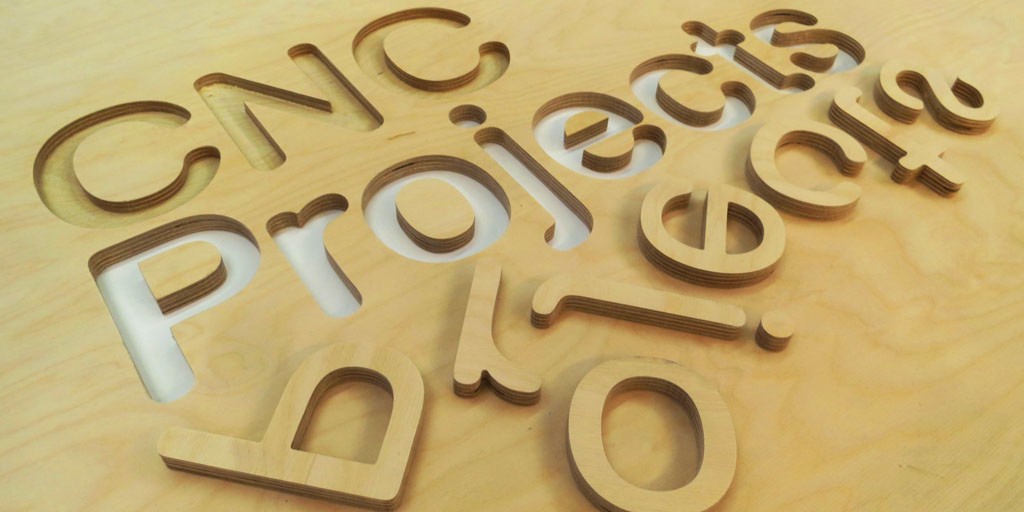
So, you’ve just unboxed your new CNC machine. The hum of the spindle, the precise movements of the gantry – it's an exciting moment. But then you're faced with a common challenge: what do you actually make? The path from an empty sheet of material to a finished product requires a digital design, and for many, creating a file from scratch can be a daunting first step.
The good news is, you don’t have to be a master CAD designer to get started. The world of CNC machining is home to an incredible community of makers who share their projects freely. These downloadable files are your ticket to instantly creating everything from functional tools to stunning pieces of art, all without the time-consuming process of designing them yourself.
In this guide, we’ll walk you through everything you need to know about finding and using free CNC project files. We’ll cover the essential file formats, the best places to find them, and showcase some of our favorite beginner-friendly projects.
Part 1. File Formats for CNC Machining
Before you start downloading, it's crucial to understand the different types of files you'll encounter. Each format has a specific purpose and works best for certain types of projects. Using the wrong file format for your CNC machines or software can lead to errors and wasted material.
|
File Format |
Type |
Purpose |
Best For |
CNC Compatibility |
|
DXF |
2D Vector |
A widely used 2D vector format, originally developed by Autodesk. |
2D profile cutting, engraving, signage, and simple outlines. |
Highly compatible with almost all CAM software. |
|
SVG |
2D Vector |
A 2D vector format based on XML, popular for web and graphic design. |
Artistic designs, logos, intricate patterns, and scalable artwork. |
Excellent for laser cutting and 2D carving. |
|
AI / EPS |
2D Vector |
Adobe Illustrator and Encapsulated PostScript files. |
Artistic and professional designs with precise geometry. |
Can be imported into most CAM software, but may require cleanup. |
|
STL |
3D Mesh |
A 3D mesh format made up of triangular facets. |
3D carving, relief art, and complex sculptures. |
Requires 3D carving software. Important Note: STL files are primarily used for 3D printing and can be tricky for milling unless designed specifically for it. |
|
STEP / IGES |
3D Solid |
Vendor-neutral 3D model formats. |
Complex engineering parts, multi-component assemblies, and professional applications. |
The industry standard for high-precision 3D milling. |
|
G-code (.nc, .gcode) |
Machine Code |
A set of commands that tells the CNC machine how to move, what speed to use, and where to cut. |
All CNC projects. This is the final output from your CAM software. |
Directly readable by your machine's controller. |
|
Proprietary CAM Formats |
Project File |
Specific file formats used by popular CAM software like VCarve (.crv) or Fusion 360 (.f3d). |
A specific software ecosystem. |
Only compatible with the software that created the file. |
For most hobbyists and beginners, DXF and SVG files are the most common and easiest to use, especially for projects like signs, coasters, or wall art.
Part 2. Top 5 Platforms to Find Free CNC Files
The internet is a treasure trove of free CNC projects, but knowing where to look can save you hours of searching. Here are five of the best platforms, each with its own unique strengths.
Thingiverse

Thingiverse is a massive, community-driven platform that has long been the go-to resource for 3D printing enthusiasts. However, its library has expanded to include a vast and growing number of CNC-ready files. You can find everything from simple functional parts and prototypes to intricate artistic designs. Its strength lies in the sheer volume and diversity of projects, as well as the active community that often provides make-along photos and tips.
GrabCAD

If your focus is on technical or professional designs, GrabCAD is the place to be. It’s a community of engineers and designers who share high-quality CAD models in industry-standard formats like STEP and IGES. It's the perfect resource for finding inspiration for mechanical parts, complex assemblies, or industrial designs. The quality and precision of the models here are generally higher than on hobbyist-focused sites.
Vectric Free Projects

The creators of the popular VCarve and Aspire software, Vectric, offer a fantastic library of free projects. What makes this resource stand out is that many of the files come with comprehensive, step-by-step video tutorials. This is a huge advantage for beginners, as it allows you to see exactly how a project was designed, the toolpaths were created, and how it was machined, providing a valuable learning experience.
CNC Cookbook
CNC Cookbook is a well-known name in the machining world, serving as a hub of information, tutorials, and resources. Their free DXF file library is a testament to their commitment to the community. They offer a curated collection of high-quality vector art and patterns, often organized by category, making it easy to find specific designs like clocks, signs, or decorative inlays.
Instructables

This site isn’t just about files; it’s about the entire project. You can find detailed instructions from fellow makers that include not only the downloadable files but also a list of required materials, tools, and helpful photos and tips for completing the project from start to finish. This makes it an excellent resource for anyone who wants to learn the entire process, not just get a design.
Get an instant quote from Xmake by uploading your design file today, and enjoy fast, reliable delivery with our expert manufacturing services.
Start a QuotePart 3. Free CNC Project Ideas
To get your creative juices flowing, here are some of our favorite free projects you can find and start today.
Category 1: Beginner-Friendly
These projects are perfect for getting a feel for your machine and software without a steep learning curve.
- Personalized Name Signs: A classic first project. Use a simple text engraving toolpath to create a beautiful, custom sign. This is a great way to practice setting up your tool and zeroing the machine.
- Wooden Coasters: A fantastic way to use scrap wood. You can find free SVG or DXF files for intricate designs that add a personal touch to your home. This project helps you master basic profile and pocket cuts.
- Custom Phone Stands: Simple, yet incredibly useful. Many designs involve a few pocket cuts and a profile cut, teaching you the basics of toolpathing and holding parts securely. You can find designs with integrated cable management, which adds a layer of complexity.
- Jig and Fixture Parts: While not a “project” in the traditional sense, creating a custom jig for your workshop is a great way to learn. Examples include L-shaped fences for squaring material, hold-down clamps, or zeroing blocks. You’ll gain a deeper understanding of precision and how your machine can improve your workflow.
Category 2: Decorative & Artistic
Once you’re comfortable with the basics, try a project that showcases the artistry of your CNC machine.
- Relief Carvings: These projects use a 3D file (often STL) to create a carved, textured surface. There are many free models of animals, landscapes, or abstract art that create stunning visual depth. You’ll learn about 3D carving toolpaths and the importance of using a ball nose end mill.
- Layered Wall Art: Look for layered SVG files. These projects involve cutting multiple pieces from different materials or colors and stacking them to create a multi-dimensional piece of art. This teaches you about registration pins and aligning multiple pieces for a perfect fit.
- Holiday Ornaments: Incredibly fun and a great way to use up small pieces of material. You can find countless designs for Christmas, Halloween, or any other holiday. This is a great exercise in nesting parts to maximize material usage.
- Inlay Projects: This is a more advanced technique that produces beautiful results. An inlay project involves cutting a “male” and “female” piece that fit together perfectly. You can find free inlay files for creating decorative cutting boards, box lids, or decorative furniture panels. This project hones your precision and attention to detail.
Part 4. Pro Tips Before You Cut
Finding the perfect file is just the first step. To ensure a smooth and successful project, follow these essential pro tips:
- Check the License: Just because a file is free doesn’t mean it's free for all uses. Always check the licensing to see if the file is for personal use only or if it can be used for commercial purposes if you plan to sell your creations.
- Verify Scale and Dimensions: Before hitting “start,” import the file into your CAM software and verify the dimensions. A file downloaded in inches might appear in millimeters on your software, leading to a tiny, unusable part.
- Inspect the Geometry: Use your software’s tools to check for open vectors or duplicate lines. These errors can confuse the CAM software and cause your machine to stop mid-cut or create unwanted toolpaths.
- Start with a Test Cut: When in doubt, perform a test cut on a piece of scrap material. You can even do an “air cut” by running the machine a few inches above the material to ensure the toolpaths are exactly what you expect.
Part 5. Final Thoughts
Using free CNC files is a fantastic way to accelerate your learning and bring your ideas to life without spending hours on design. The resources and projects available are a testament to the thriving, collaborative spirit of the maker community. So, go ahead, download your first file, set up your machine, and start creating something amazing today.
When your project calls for professional finishing, higher precision, or materials beyond your home setup, Xmake makes it easy. Simply upload your design file to our platform for instant quotes on CNC machining (3-axis to 5-axis milling/turning), 3D printing, sheet metal, and more – no minimum order, fast delivery, and reliable quality to help bring your CNC ideas to life.
Happy making!
Part 6. Frequently Asked Questions
What software do I need to use these files?
You’ll typically need two types of software to go from a downloaded file to a finished part:
- CAM Software: You import the design file (like a DXF or STL) into a CAM (Computer-Aided Manufacturing) program, such as Carbide Create, Fusion 360, or VCarve. This is where you create the “toolpaths” that tell your machine where to cut, at what depth, and with what speed.
- Machine Control Software: Once the toolpaths are generated, the CAM software exports them as G-code (a .nc file). This G-code is then loaded into your machine’s control software (like Carbide Motion, Universal Gcode Sender, or Mach3) to run the job on your CNC.
Can I use these free files to sell my finished products?
Maybe. Just because a file is free to download doesn’t automatically mean it’s free for commercial use. The creator of the file retains the copyright, and they will specify the usage rights in the license. Always check the project page on the platform for a license agreement. Look for a “commercial use allowed” or similar clause. If the license is not specified, it’s best to assume it’s for personal use only.
How do I know which cutter or bit to use for a project?
The downloaded file itself doesn’t contain this information. The bit you use is determined by you in the CAM software based on the project’s requirements.
For 2D projects like signs and coasters, you’ll typically use an end mill for pockets and a V-bit for engraving. For 3D carvings, a ball nose end mill is used for the finishing pass. The material you are cutting (wood, acrylic, aluminum) will also influence your choice of tool. Always start with the manufacturer’s recommended settings for your specific bit and material, and adjust as needed.