
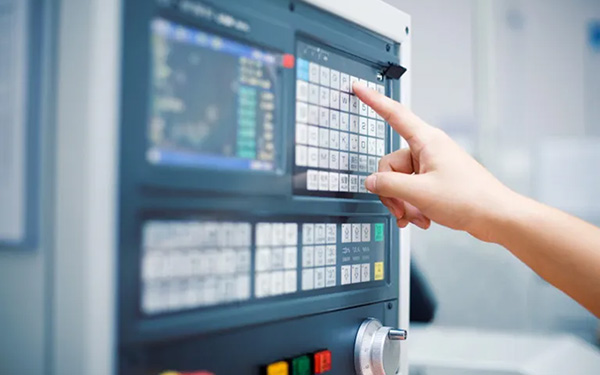
Introduction: CNC programming provides executable machining instructions for the CNC machines, guiding them to perform cutting, drilling, milling, and other machining tasks. It serves as the pivotal step linking design and manufacturing. This article will explain the fundamental concepts, working principles, and common types of CNC programming, helping you systematically understand its role in CNC machining.
What is CNC Programming
CNC programming is a technology that generates machining instructions for CNC machine, using machining code to control the machine to perform operations such as milling, turning, and drilling. These codes typically define key parameters such as toolpath, feed rate, and spindle speed to guide the precise operation of the machine, thereby achieving high-precision and high-efficiency machining of parts.
How does CNC Programming Work?
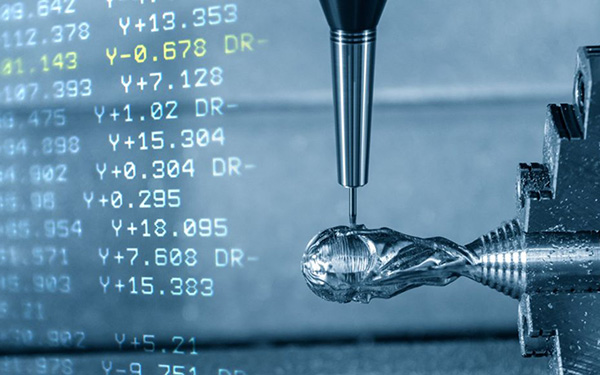
The CNC programming process typically involves three stages: CAD (shape design) → CAM (machining planning) → CNC machine (cutting execution). The details of the entire process are as follows:
Engineers first create 2D drawings or 3D models of the part using CAD software. Then, these drawings are imported into CAM software, where machining parameters—such as tool type, cutting path, feed rate, and spindle speed—are defined to generate precise operational instructions for CNC machines.
Subsequently, these programs are transferred to the machine’s control system. After verifying the programme, the operator installs the raw material and fits the cutting tools. Once the machine tool is started, it will automatically execute the machining process according to the programme instructions, progressively completing the part’s machining.
Common CNC programming codes
The reason why CNC machine can complete machining efficiently and accurately is due to the synergistic effect of standardized code. It can be said that CNC programming code is the core information carrier of the entire machining process. A CNC program is composed of various instruction codes, typically beginning with letters such as G, M, S, F, and T. Each category of code corresponds to a specific machine motion or machining parameter, which will be detailed in the following sections.
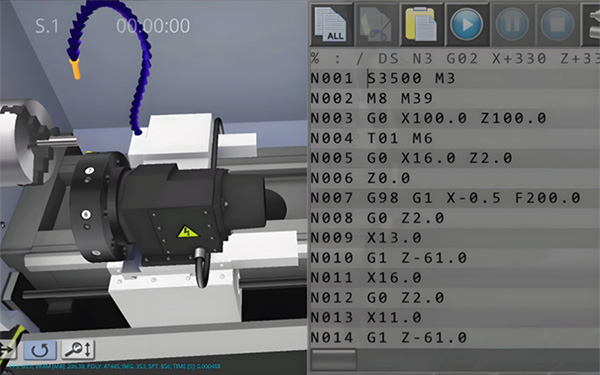
G-codes are essential commands used during machining operations. They control the tool’s movement and path, telling the machine how to move — for example, in a linear path (G01) or along an arc (G02/G03).
M-codes control the auxiliary functions of the machine, such as starting or stopping the spindle (M03/M05), turning the coolant on (M08), or ending the program (M30). They are essential commands in any standard machining program.
S-codes controls the spindle rotation speed. The unit is typically revolutions per minute (RPM); for example, S2000 denotes 2000 revolutions per minute. This code is essential for spindle-based machining operations (such as milling or drilling), but may be omitted for certain non-spindle operations (such as positioning movements).
F-codes controls the tool feed rate, determining how fast the tool travels during machining. The unit is usually millimeters per minute (mm/min), for example, F300 means 300 millimeters per minute. The F code is also a commonly used code in machining processes.
T-codes are used to specify the tool number.CNC machines are typically equipped with multiple tools, and during machining, tool changes are performed as needed for different operations.The T command tells the machine which tool to call — for example, T01 selects tool No. 1.While single-tool programs can omit this code, it is required for multi-operation machining.
D-codes are used to call the tool compensation number, indicating which set of offset data the machine should use during cutter compensation.This allows the programmer to write programs directly based on the part drawing dimensions without manually calculating the tool radius offset, improving both accuracy and flexibility. D-codes are primarily applied when enabling tool radius or tool length compensation.
N-codes are used to number each line of a CNC programme, facilitating readability, debugging, and skip-line execution. While they do not directly control machine tool movements, they play a vital role in programme management and troubleshooting.
CNC Programming Types
Common types of CNC programming can be divided into manual programming, automatic programming, and conversational programming:
Manual programming refers to programmers manually writing G-code, M-code, and other program content. This method is flexible and efficient, especially suitable for machining simple parts with uncomplicated geometries. However, manual programming requires operators to be highly familiar with the code syntax; otherwise, machining errors may easily occur.
Automatic programming refers to the process of generating machining programs with the aid of CAM software. In this process, the operator only needs to set the tool, path, and cutting parameters in the software, which then automatically outputs the corresponding code. This method is highly efficient and suitable for machining most parts, especially complex ones.
However, even though the toolpaths are generated automatically, the operator must still understand key machining parameters — such as cutting speed, feed rate, and tool choice — to ensure the program performs effectively.
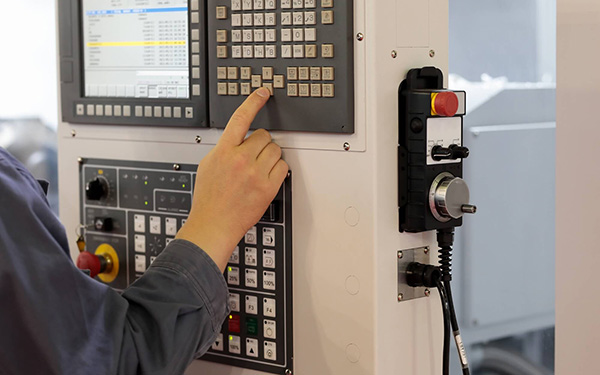
Conversational programming is a method that allows operators to generate machining programs directly on the CNC machine’s control panel by entering parameters or selecting predefined options. The system then automatically creates the corresponding program based on the input data.
This method is particularly suitable for machining single pieces or small batches of parts, or for temporary program modifications. Also,it is easy to learn and use, enabling operators to program parts without prior knowledge of G-code. However, it struggles with complex freeform geometries and offers less efficiency and flexibility compared to manual or CAM programming.
Software Used in CNC Programming
CNC programming typically requires two types of software: CAD (Computer-Aided Design) and CAM (Computer-Aided Manufacturing).
CAD is used to create 2D drawings or 3D models of parts, completing the modeling and design of the parts. Standardized CAD drawings clearly express the dimensions, tolerances, geometry, and assembly relationships of parts, providing a basis for subsequent manufacturing and inspection.
CAM is used to formulate machining strategies and generate CNC machining program code. The operator only needs to set parameters such as tool type, machining path, depth of cut, and feed rate in the software, and the system will automatically generate the corresponding G-code to guide the machine tool in machining.
In mechanical manufacturing, CAD and CAM complement each other, forming a complete process from design to manufacturing. There are numerous CNC software options on the market, each with its own characteristics, ranging from entry-level to industrial-grade systems to meet diverse application needs. Common CAD software includes SolidWorks and Creo, while common CAM software includes Mastercam, Fusion 360, and PowerMill. For more information on CNC programming software and selection guidelines, please refer to our article “CNC Machining Program Software Overview” for a detailed explanation.
FAQ
1.How to find the CNC programming type that suits your needs?
Common types of CNC programming include manual programming, automatic programming, and conversational programming. The choice of programming method typically depends on the complexity of the part, production volume, and operator skill level.
Simply put, if your part has a simple structure and is produced in small batches, manual or conversational programming is more efficient and direct. The former is suitable for experienced users familiar with G-code, while the latter is more beginner-friendly.
Conversely, if the part involves complex surfaces or requires mass production, CAM programming is the inevitable choice. However, in modern machining, it is common practice to use CAM to process complex components and then use manual programming to supplement simpler processes.
2. How difficult is CNC programming?
Mastering CNC programming is not particularly difficult, but reaching the level of independent programming requires a solid theoretical foundation and extensive hands-on experience.In the early stages, beginners mainly struggle with understanding commands, coordinate systems, and toolpaths. As skills develop, the real challenge lies in optimizing cutting processes, selecting materials, and planning machining strategies. Even a minor parameter error can lead to tool breakage or part failure, so true proficiency in CNC programming comes only through consistent practice and accumulated experience.