
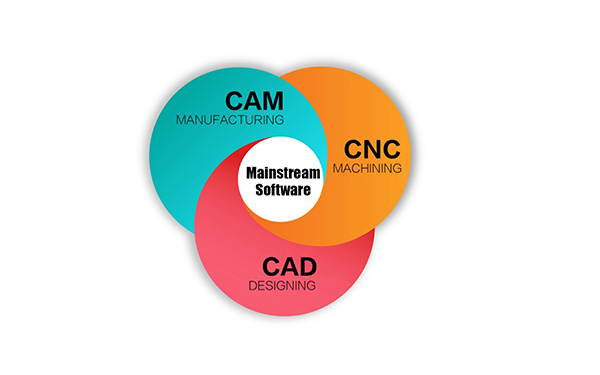
Introduction: In modern manufacturing, the machining of CNC parts rely heavily on CAD and CAM software. On the market, a wide variety of such software is available — ranging from entry-level to professional-grade — including CAD tools like SolidWorks and Fusion 360, and CAM programs like Mastercam and PowerMill. This article will systematically outline the positioning and application scenarios of these software.
What is CNC Machine Programming Software?
CNC machining program software refers to a system used to design part models and convert them into machine-executable code.In modern manufacturing, the two most commonly used CNC software systems are CAD and CAM. They work together to realize the complete process from part design to manufacturing. CAD is used to draw two-dimensional drawings or three-dimensional models of parts, completing the geometric modeling and engineering design of the parts. CAM, on the other hand, converts the design into executable machining paths and code, thereby guiding the machine tool to perform machining.
Common CNC Software
Today’s CAD and CAM software ranges from beginner-friendly solutions to advanced industrial-grade platforms. Different levels of software have different focuses in terms of functionality and application scenarios. This chapter will introduce several common CAD and CAM software to help you better understand their characteristics and applicable scenarios.
CAD Software
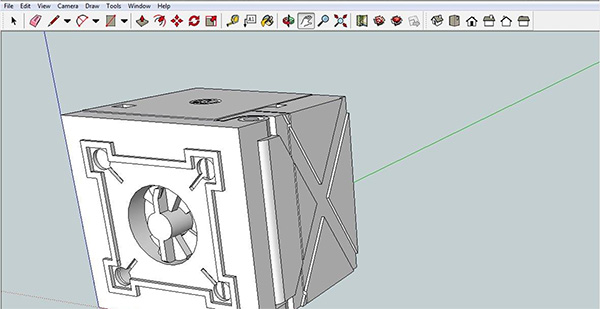
SketchUp is a lightweight 3D modelling software developed by Trimble, offering an intuitive and user-friendly geometric modelling experience. Users can swiftly create and modify 3D models through push-and-pull operations. By employing direct modelling techniques, geometric shapes can be achieved without complex parameter settings, making it highly suitable for conceptual design, structural layout, and rapid prototyping stages.
In addition,SketchUp has a simple, intuitive interface, which makes it easy for beginners or non-engineering users to get started.However, SketchUp lacks parametric modeling, so it’s not ideal for precision or complex assembly design. Its file compatibility is also limited and may need plugins or format conversion to work with CAD/CAM platforms.
Pricing: SketchUp offers cloud and desktop subscriptions billed monthly or annually, priced from $19.99–$99.99/month or $129/year (Go) to $399/year (Pro). It’s free for students and educators.
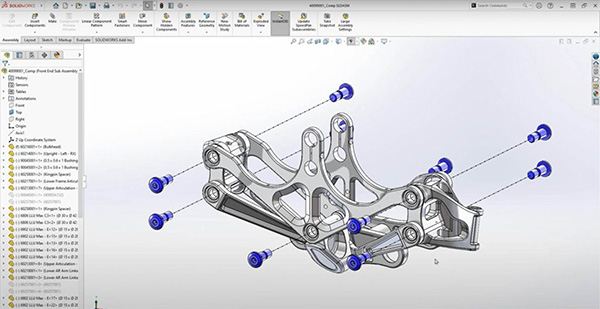
SolidWorks is the world’s most popular mid-range 3D CAD software, widely used in product design, engineering drafting, and assembly modelling. It possesses robust 3D modelling capabilities, supporting hybrid modelling of surfaces and solids, and can handle complex assemblies comprising thousands of parts with efficiency.
Also, SolidWorks features an intuitive interface and clear workflow, making it easy to learn. More importantly, with add-ons such as SolidWorks CAM and PDM, users can complete design, simulation, and manufacturing preparation within the same platform, eliminating the need for frequent software switching or file conversions.
However, SolidWorks is limited to Windows and doesn’t natively support macOS or Linux. Also,files created in newer versions of SolidWorks cannot be opened directly in older versions, which can cause inconvenience when collaborating with other companies or clients.
Pricing: SolidWorks is billed annually, priced at around $2,820/year (Standard), $3,456/year (Professional), and $4,716/year (Premium). Actual pricing depends on the license and service package, and students/educators can access it for free.
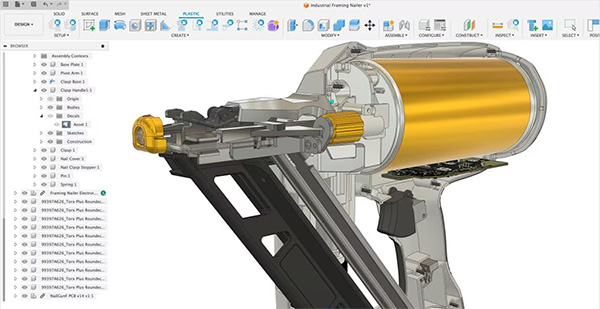
Fusion 360 is a cloud-based integrated CAD/CAM/CAE platform developed by Autodesk. It integrates 3D modeling, CNC programming, simulation analysis, and collaborative design, allowing users to complete the entire process from design to manufacturing without switching software. Fusion 360 supports parametric and freeform surface modeling. It can flexibly handle the design of structural and appearance components, making it suitable for mid-range product design and prototype development.
Fusion 360 enables cloud-based teamwork and real-time collaboration, boosting design speed and creativity.But its cloud dependency limits offline use, large assembly performance, and high-precision surface design.When an assembly contains thousands of components, the loading, saving, and constraint calculations can noticeably slow down.
Pricing: Fusion 360 is priced at about $85/month or $680/year, covering CAD, CAM, and CAE in one plan. Some advanced tools are sold separately, and it’s free for students and educators.
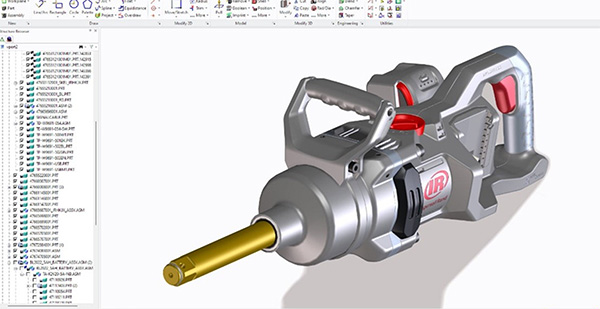
Creo is a parametric 3D CAD software developed by PTC, formerly known as Pro/ENGINEER. It features precise parametric modeling capabilities, flexible control over dimensions and feature relationships, and is suitable for complex mechanical structures. Equipped with Creo Simulation and Creo CAM, it enables integrated design, analysis, and manufacturing. However, Creo’s interface is relatively complex, making it more difficult to learn than SolidWorks or Fusion 360.
Pricing: subscription model—– priced between $3,190 and $30,900 per year, depending on features and license type. It also offers education and trial versions.
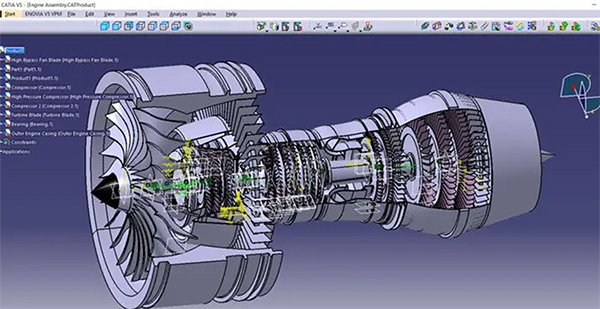
CATIA is an integrated design platform encompassing CAD/CAM/CAE/PDM. Its CAM software represents high-end industrial design software, far exceeding the scope of standard CAD applications. Specifically engineered to handle the most intricate systems engineering, it stands as the mainstream choice for high-end manufacturing sectors such as aerospace and automotive styling. As a top-tier tool, CATIA is extremely expensive and challenging to learn, primarily serving major enterprises and industry leaders.
Pricing: Around $7,080/year, varying by version and modules. Education and academic editions are available.
CAM Software
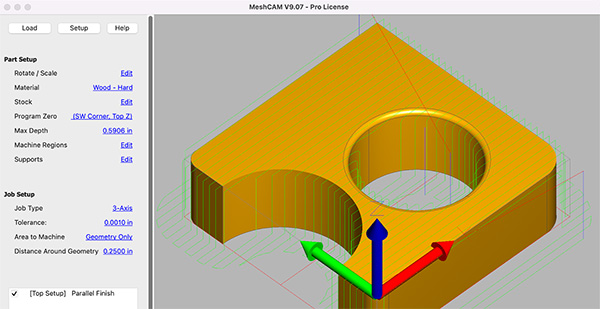
Meshcam is a lightweight CAM software solution. Users simply import 3D models (such as STL files), and the software automatically recognises geometric shapes to generate complete toolpaths without manually setting complex parameters. Meshcam supports 2D and 3D milling alongside 4-axis rotary machining, featuring an integrated tool library and simulation capabilities.
MeshCAM is ideal for prototyping and quick part production, featuring a simple and easy-to-use interface that’s perfect for users with little or no programming experience.However, its capabilities are relatively basic, making it unsuitable for multi-axis machining or complex surface operations.
Pricing: MeshCAM uses a one-time license model, available in Standard and Pro versions, priced around $250–$500.
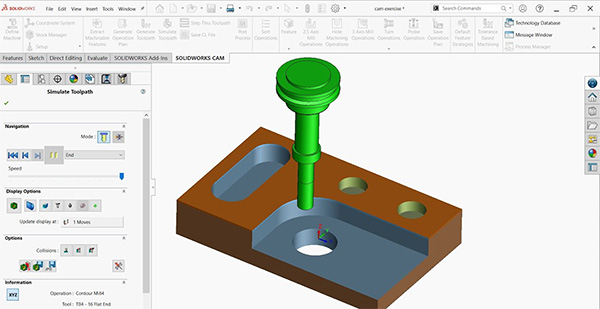
SolidWorks CAM is an integrated CAM module developed by Dassault Systèmes, directly embedded within the SolidWorks modelling environment. It enables the entire process from design to machining to be completed within a single platform, making it highly suitable for engineers familiar with SolidWorks. However, SolidWorks CAM functions are better suited to 2.5D and 3-axis machining. For complex surfaces or five-axis machining, it is advisable to utilise specialised CAM software (such as Powermill or Mastercam) to achieve greater machining precision and flexibility.
Pricing: SolidWorks CAM is typically included with the SolidWorks Professional or Premium packages.Based on market pricing, priced at about $3,500–$4,700/year.
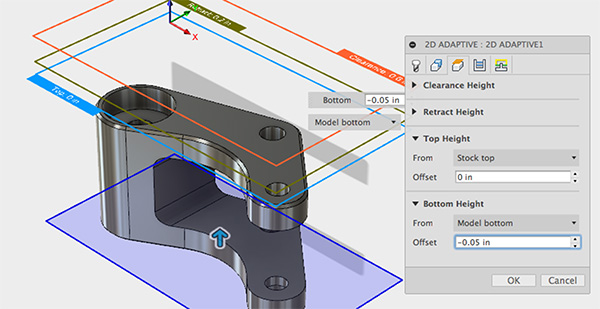
Fusion 360 是由 Autodesk 开发的基于云的集成设计与制造平台。它包含一个 CAM 系统,可直接从 3D 模型生成 CNC 刀具路径,实现设计与加工的无缝集成。它支持 2D、3D、4 轴和 5 轴加工策略,涵盖铣削、车削和钻孔等多种工艺。
Fusion 360 将 CAD 和 CAM 功能集成到单一界面中,使用户能够在同一环境下完成建模和刀具路径规划。这降低了软件切换和文件兼容性方面的风险,并显著提高了团队协作和项目管理效率。然而,由于该系统主要依赖云端运行,其离线功能有限,在处理超大型工件或复杂模具时性能相对不足。
定价:Fusion 360 的价格约为每月 85 美元或每年 680 美元,包含 CAD、CAM 和 CAE 功能。部分高级工具需要额外订阅,学生和教师可免费使用。
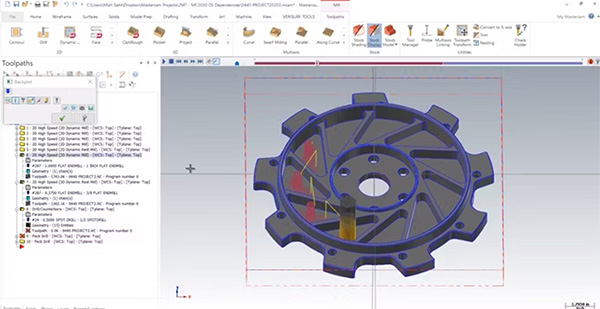
Mastercam is one of the earliest CAM solutions to enter the market, with over thirty years of continuous development history, and is one of the most widely used CNC programming systems in the world. It is a mature system supporting 2D/3D machining, 5-axis simultaneous programming, and various toolpath strategies, making it suitable for most parts and mold machining scenarios. It is also compatible with multiple CAD software (such as SolidWorks and AutoCAD) and has a rich library of post-processors to adapt to different machine tools.
Compared to high-end tools like PowerMill, it’s more intuitive and easier to learn, making it ideal for engineers working across different part types.Its main drawbacks lie in its higher cost, greater hardware requirements, and less flexibility in handling complex surfaces or multi-axis high-precision machining compared to high-end software.
Pricing: Available via subscription or perpetual license, with typical pricing ranging from $6,000 to $15,000+, depending on the version and modules.
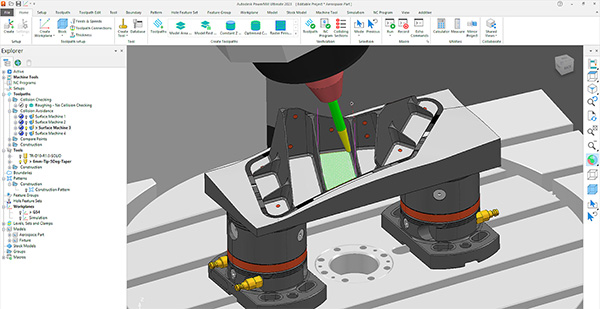
Powermill is a high-end CAM software developed by Autodesk, specifically designed for handling complex surfaces, high-precision moulds, and multi-axis machining. It boasts powerful toolpath optimisation and simulation capabilities, enabling high-precision, efficient cutting control. Powermill is also compatible with the Fusion 360 ecosystem, facilitating an integrated data flow from design to manufacturing.
For enterprises pursuing ultimate surface quality and efficient multi-axis strategies, Powermill represents an ideal choice; however, for smaller machining factories, its functionality may prove somewhat complex, and licensing costs are relatively high.
Pricing: PowerMill adopts a subscription model and offers both Standard and Ultimate (flagship) editions, priced at approximately US $8,015 to US $12,010 per year. The educational edition is available free of charge.
CAD Software Comparison Overview
| Software Name | Level | Core Functions | Key Advantages | Suitable Scenarios | Price |
|---|---|---|---|---|---|
|
SketchUp
|
Entry Level |
Rapid 3D modelling, extrusion and push-pull design
|
Intuitive operation and rapid modelling speed, suitable for beginners
|
Conceptual modelling, small-scale design |
$129–$399 /year |
|
SolidWorks |
Mid Level |
Parametric modelling, assembly design, engineering drawing |
Fully developed functionality, easy to learn, and a robust plugin ecosystem
|
Mechanical engineering and product prototyping
|
$2820+/year |
|
Fusion 360
|
Mid Level |
CAD/CAM/CAE integration, 3D modelling and simulation
|
Integrating design and manufacturing, with cloud-based collaboration, |
Mechanical engineering and product prototyping、 multi-role teams. |
Around $85 /Month or $680 /Year
|
|
Creo |
Mid Level |
Parametric 3D modelling, mechanism simulation and engineering analysis
|
High precision, supports complex mechanisms |
Industrial equipment development, precision machinery design
|
$3,190+/year |
|
CATIA |
Advanced Level |
Highly complex assembly, multidisciplinary collaboration
|
Advanced surface modelling capabilities, strong system integration |
Suitable for the most complex systems engineering |
$7,080+/year
|
CAM Software Comparison Overview
| Software Name | Level | Core Functions | Key Advantages | Suitable Scenarios | Price |
|---|---|---|---|---|---|
|
MeshCAM
|
Entry Level |
Automatic toolpath generation, STL support
|
Simple operation, high degree of automation, beginner-friendly
|
Prototyping, small workshops, rapid prototyping, beginners
|
$250–500(Permanent) |
|
Fusion 360 CAM
|
Mid Level |
2D–5-axis machining, integrated CAD/CAM, cloud collaboration
|
Design and manufacturing integration, high cost-effectiveness, cloud-based collaboration
|
Small and medium-sized factories, machining of mechanical components |
Around $85 /Month or $680 /Year
|
|
SolidWorks CAM
|
Mid Level |
Feature recognition, seamless integration with SolidWorks CAD
|
Automatic recognition of design features, high precision |
Small and medium-sized factories, machining of mechanical components
|
$3,000–4,700/Year
|
|
Mastercam
|
Mid Level |
2D–5-axis programming, toolpath optimisation,
|
Multi-axis machining supports complex surfaces,
|
Small and medium-sized factories,Mould machining, part manufacturing
|
$4,000–10,000+ |
|
PowerMill / NX CAM
|
Advanced Level |
High-speed multi-axis machining of complex surfaces
|
Top-tier precision and control capabilities, suitable for highly complex moulds and large-scale assemblies. |
High-end manufacturing systems: aerospace, automotive moulds, suitable for large enterprises |
$8,000–12,000+/year |
How to Select Suitable CNC Software
In summary, different software solutions prioritise varying aspects such as design depth, machining capabilities, and integration levels. Whether it’s CAD or CAM software, the key to selecting the right CNC solution lies in evaluating machining complexity, team size, and budget as a whole.
The following are common selection guidelines, but in practice, choices should always be made based on your specific machining requirements and available resources.
For CAD software used in design modelling, selection can be made based on different design stages and application requirements:
- For concept modeling or prototyping,entry-level users or individual designers can choose SketchUp or Fusion 360, which are well-suited for early-stage product ideation and rapid prototyping.
- For common parts design or small-batch production, medium-sized manufacturing enterprises can use a mid-tier system such as SolidWorks or Fusion 360. This approach balances efficiency, cost, and precision while supporting the entire process from design to machining.
- For the production of high-precision components or moulds, it is advisable to utilise the more specialised Creo software to achieve superior parametric control and engineering accuracy.
- High-end software such as CATIA is suited to industrial-grade design projects involving the management of extremely large assemblies, such as aerospace or complete vehicle development, and is more appropriate for large enterprises.
For CAM software, the selection should be made based on different production stages and specific machining requirements.
- For prototype or small-batch production, MeshCAM and Fusion 360 CAM are great choices — easy to use, quick to generate toolpaths, and perfect for personal or small-scale manufacturing.
- For regular parts or medium-complexity production, mid-sized manufacturers can choose SolidWorks CAM or Fusion 360 CAM to achieve an integrated workflow from design to manufacturing — balancing efficiency and cost.
- For high-precision parts or mold machining, Mastercam or PowerMill is recommended, as they excel at handling complex surfaces, multi-axis operations, and achieving superior surface finishes.
- Industrial-grade systems such as NX CAM are better suited for large-scale manufacturing projects or multi-departmental collaborative production. They can integrate with enterprise PLM systems to form a complete digital manufacturing process.
Finally, if you want to achieve integrated design and manufacturing and emphasize team collaboration and project data sharing, you can give priority to systems with a complete CAD/CAM workflow, such as Fusion 360 or SolidWorks + CAM module.
Summary
CAD and CAM are the core software systems for CNC machining, playing a crucial role in both design and manufacturing. Different levels of software have their own characteristics, ranging from entry-level to industrial-grade systems to meet diverse application needs. When selecting a solution, a comprehensive evaluation should be conducted based on factors such as machining type, part complexity, team size, and budget to choose the solution that best suits the production process, achieving the optimal balance between efficiency and cost.